 Leaf Calendar
A fast, native Windows 11 app for your Google Calendar. Heavily inspired by Notion Calendar.
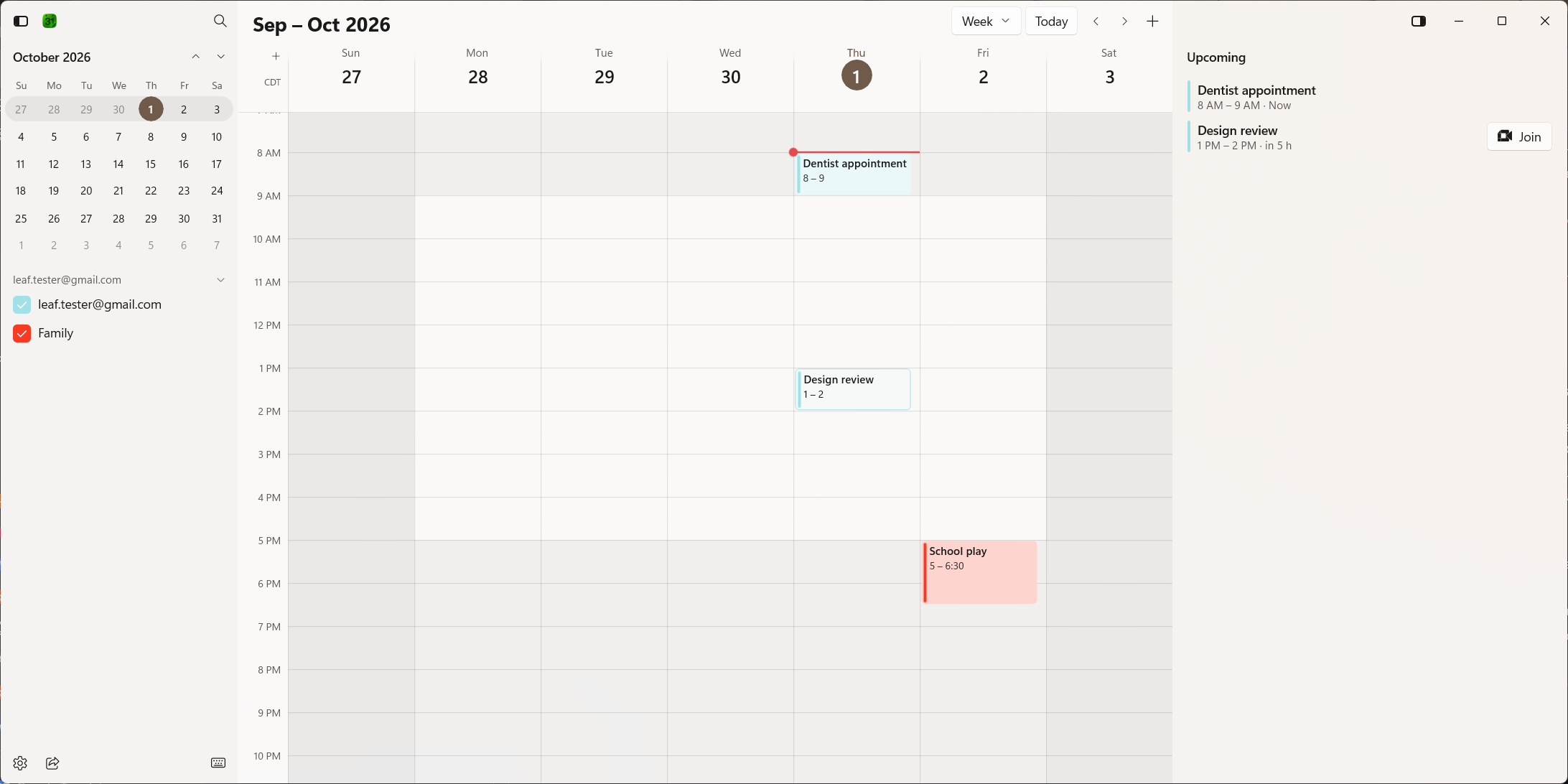
What Leaf Calendar does
Leaf Calendar puts your Google Calendar in a real Windows app instead of a browser tab. It looks and feels like Windows 11 made it, opens instantly, and sits in your system tray so your next meeting is always one click (or one shortcut) away.
If you’ve used Notion Calendar, you’ll feel at home. Leaf Calendar borrows its best ideas: a clean week view, a command menu for everything, keyboard shortcuts for every action, other people’s busy times laid over your own, and a quick way to share the times you’re free.
- Every view you need. Day, week, month, and a custom view of 1 to 31 days, with a mini month and your calendar list in the sidebar.
- A full event editor. Guests, rooms, Google Meet links, reminders, repeating events, rich descriptions, and more.
- A command menu. Press Ctrl+K to search events, jump to a date, or run any action.
- Meet with people. Overlay a teammate’s busy times on your calendar, or pick several people and find a time that works for everyone.
- Share your availability. Drag the times you’re free and copy them as text, ready to paste into an email or chat.
- Always in your tray. An agenda flyout, a “Join now” alert when meetings start, and a global shortcut that joins your next meeting with the right Google account.
- Works offline. Your calendar is kept on your PC, so it opens fast and works without internet. Changes you make offline are sent to Google once you’re back online.
- Keyboard shortcuts for everything. Press ? in the app to see them all.
Things you can connect
Leaf Calendar works on its own, and you can connect a few extras when you want more:
- Cal.com. Share your free times as booking links. Each time you copy opens Cal.com on that exact slot, with your guests filled in, and Leaf Calendar tells you when someone books.
- Sunsama. See when Sunsama plans to work on each task, and the time you’ve tracked, right on your calendar. Read-only: nothing is changed in Sunsama.
- Other apps on your PC. Let apps like Raycast see your events, create and move them, and join meetings through Leaf Calendar. Each app asks you first.
Private by design
There’s no Leaf Calendar server, no account to create, no telemetry, and no tracking. You sign in with your own Google Cloud OAuth client, so your calendar goes straight between your PC and Google. See the privacy statement for exactly what Leaf Calendar keeps and sends.
Because you use your own Google Cloud OAuth client, there’s a one-time setup in Google Cloud before you can sign in. It takes about 10 minutes, and the setup guide walks you through every step, including the test user you’ll need to add so Google lets you sign in.