 Leaf Calendar
Keyboard shortcuts
Press ? in Leaf Calendar to open the cheat sheet. Type in its search box to find a shortcut.
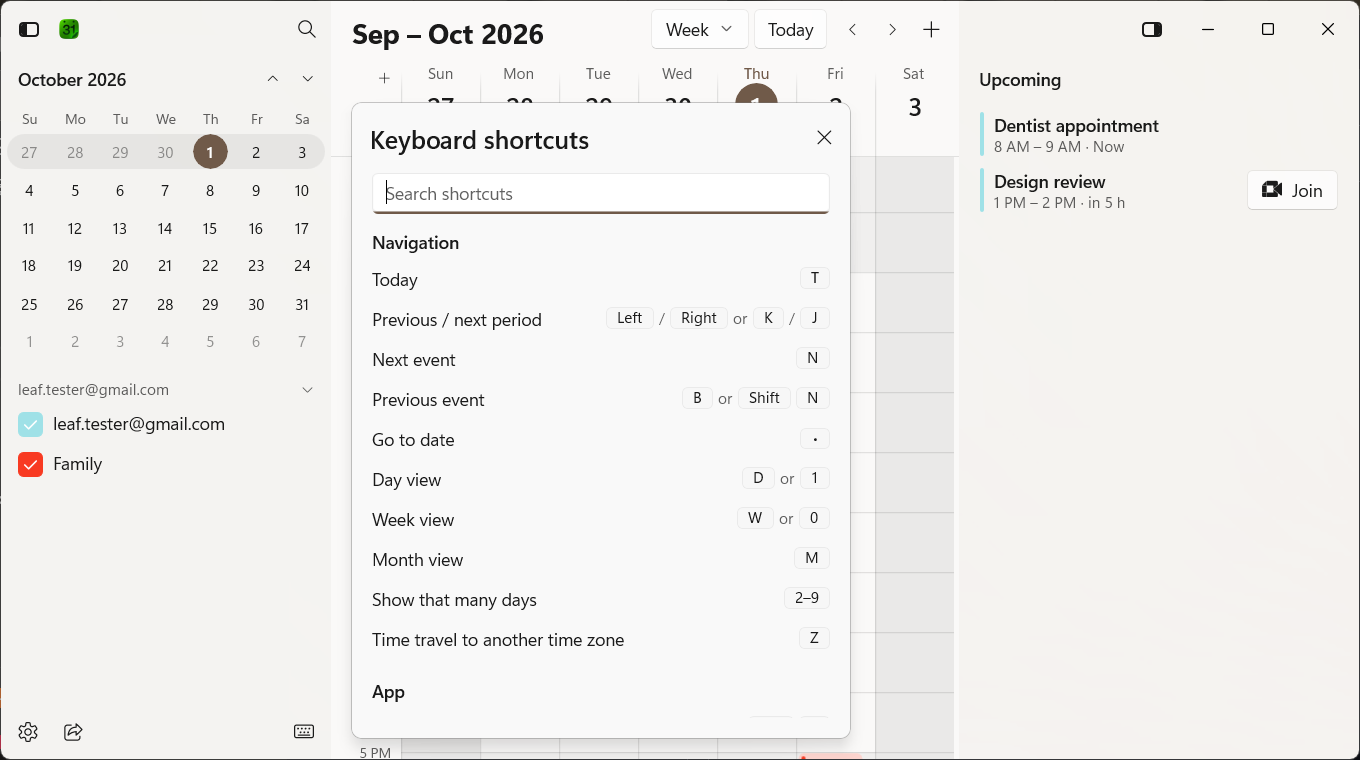
Keys like E then Y are a sequence: press E, let go, then press Y within a second and a half.
Shortcuts with punctuation (
?,/,.,Ctrl+,,Ctrl+=,Ctrl+-) follow the key that types that character on your keyboard layout. On a French keyboard, for example,?is Shift+comma. Letters and numbers stay where they are on every layout.
Anywhere in Windows
| Keys | What it does |
|---|---|
Ctrl+Alt+J | Join meeting |
Ctrl+Alt+K | Show or hide the tray flyout |
Change these in Settings › Shortcuts.
Navigation
| Keys | What it does |
|---|---|
T | Today |
← / → or K / J | Previous / next period |
N | Next event |
B or Shift+N | Previous event |
. | Go to date |
D or 1 | Day view |
W or 0 | Week view |
M | Month view |
2–9 | Show that many days |
Z | Time travel to another time zone |
App
| Keys | What it does |
|---|---|
Ctrl+K | Command menu |
Ctrl+F or / | Search (command menu) |
? | Shortcut cheat sheet |
Ctrl+, | Settings |
Ctrl+R or F5 | Sync now |
Ctrl+Z | Undo the last delete (this session) |
Alt+Left / Alt+Right, mouse back / forward | Back / forward through visited views |
Ctrl+Shift+L | Toggle light / dark |
Ctrl+= / Ctrl+- / Ctrl+0 | Zoom in / out / reset |
Ctrl+Shift+E | Show / hide weekends |
Ctrl+Shift+D | Show / hide declined events |
Ctrl and the mouse wheel over the time grid zooms like Ctrl+= / Ctrl+-.
Events
| Keys | What it does |
|---|---|
C | Create event |
E | Edit selected event |
E then Y / N / M | RSVP yes / no / maybe |
E then E | Email guests |
E then U | Edit duration |
E then Z | Edit time zone |
E then F | Participant overlay |
Ctrl+Enter | Save and email guests |
Ctrl+Shift+Enter | Save without emailing |
Ctrl+Shift+Delete | Cancel event without emailing |
Delete | Delete selected |
Ctrl+J | Join selected or next meeting |
V | Open meeting link in browser |
Selection
| Keys | What it does |
|---|---|
X | Select / deselect |
Ctrl+A | Select all visible |
Shift+drag | Box select |
Ctrl+click | Add to / remove from selection |
Ctrl+C / Ctrl+X / Ctrl+V | Copy / cut / paste events |
Alt+drag | Duplicate |
Esc | Clear selection or close panel |
Scheduling and people
| Keys | What it does |
|---|---|
S | Share availability |
P | Overlay a teammate’s calendar |
F | Meet with |
In the event editor
| Keys | What it does |
|---|---|
Ctrl+B | Bold |
Ctrl+I | Italic |
Ctrl+U | Underline |
Esc | Cancel |
In dialogs
Ctrl+Enter presses a dialog’s main button from anywhere in it, even from a text box. Dialogs that delete or discard something leave it alone, so you can’t do that by accident.