 Leaf Calendar
Cal.com booking links
Connect your Cal.com account, and the times you share become booking links. Each time is its own link that opens Cal.com on that exact slot, with your guests already filled in. When someone books, Leaf Calendar tells you and clears the saved times.
Introduction
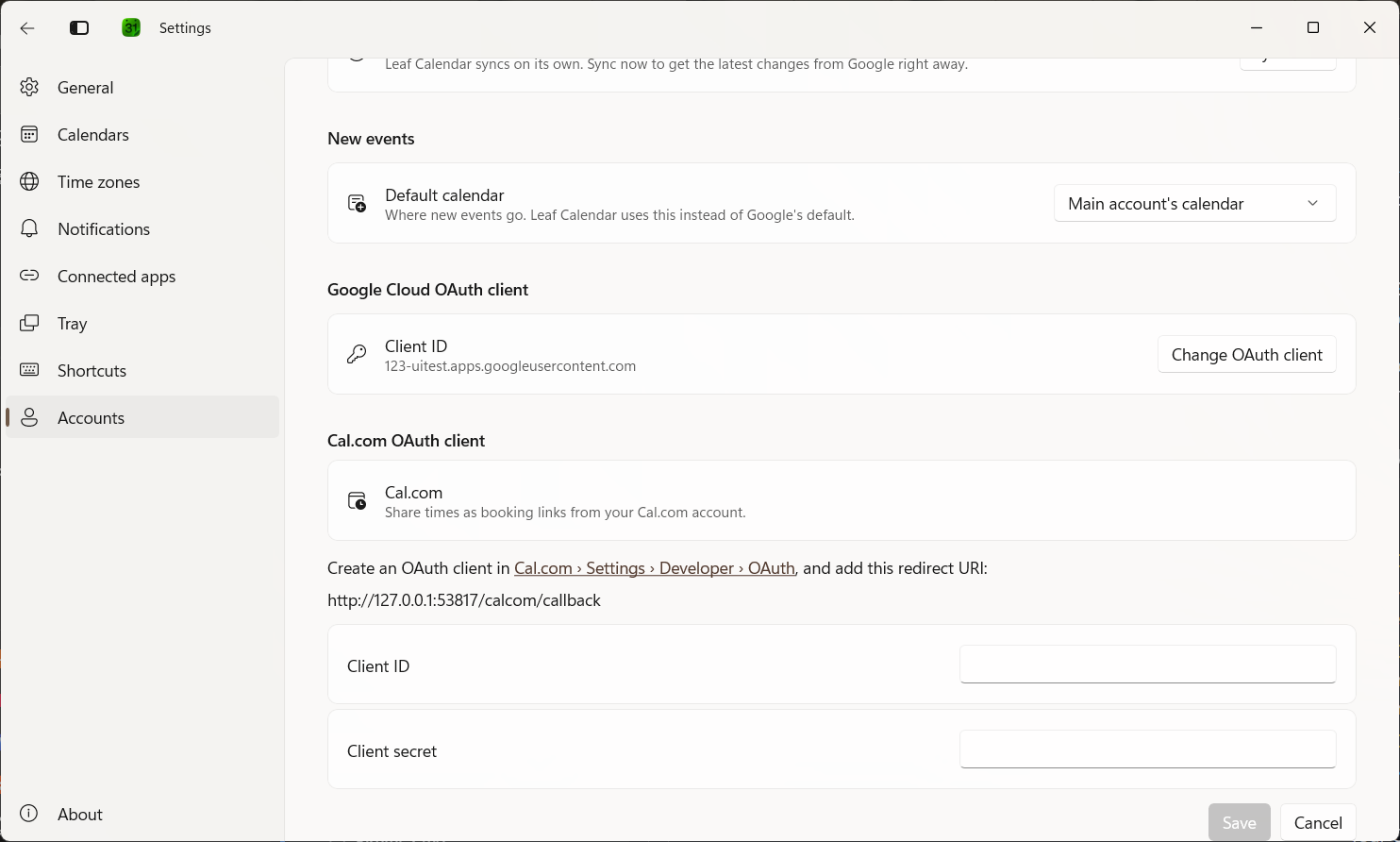
Like Google, Cal.com connects with an OAuth client that you own, so there’s no Leaf Calendar server in the middle. You create the client once in Cal.com, then sign in from Leaf Calendar.
Prerequisites
- A Cal.com account (cal.com, not self-hosted)
- At least one event type in Cal.com (Leaf Calendar calls these links)
1. Create a Cal.com OAuth client
- Open Cal.com’s OAuth settings.
- Create a new OAuth client.
-
For the redirect URI, enter exactly:
http://127.0.0.1:53817/calcom/callback - Copy the Client ID and Client secret.
2. Sign in from Leaf Calendar
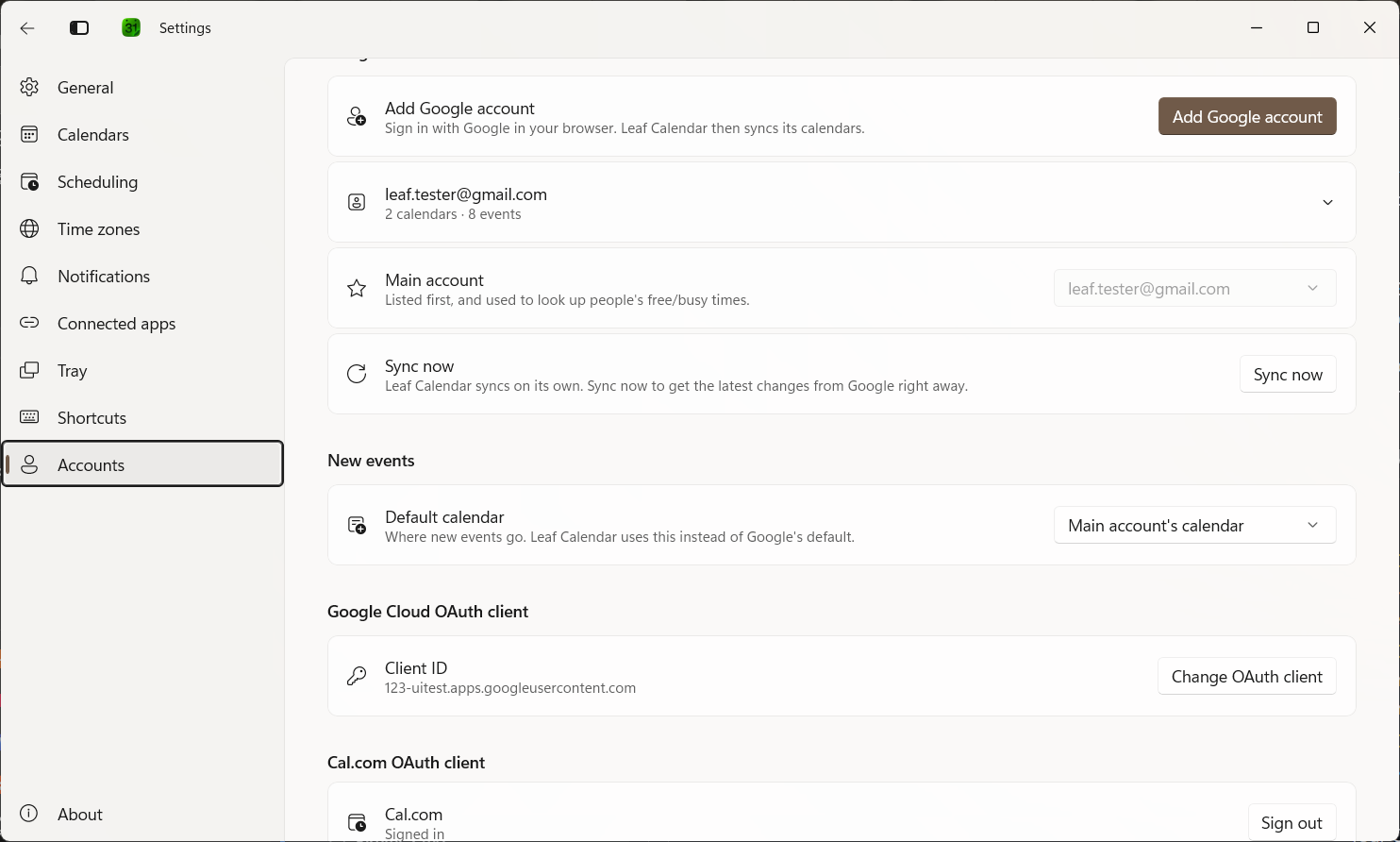
- Go to Settings › Accounts and find the Cal.com OAuth client section.
- Click Add OAuth client…, paste the Client ID and Client secret, and click Save.
- Click Sign in with Cal.com. Your browser opens Cal.com. Sign in and allow access.
- Back in Leaf Calendar, you’ll see “Successfully signed in to Cal.com”.
You can also do this during first-time setup, on the optional Schedule with Cal.com step.
Leaf Calendar asks Cal.com to read your links, read and create bookings, and read your availability. Nothing else.
3. Pick your default link
Once you’re signed in, a Scheduling page appears in Settings. Pick the Default link each new share starts with.
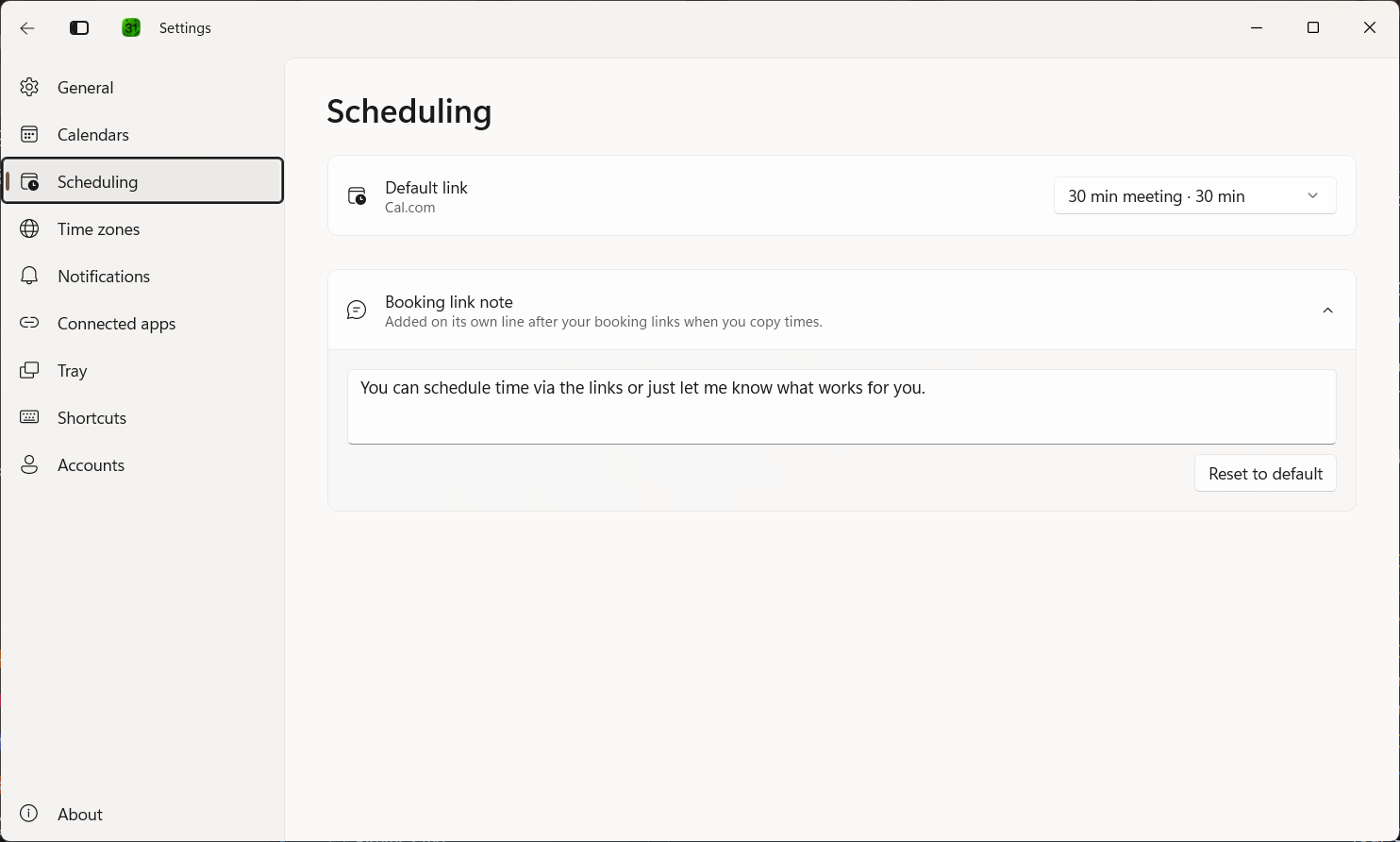
Booking link note is a line added after your booking links when you copy them. Leave it empty for no note, or click Reset to default.
Sharing with Cal.com
Press S to share availability as usual. In the right panel, under Guests & proposed times:
- Schedule with Cal.com is on for each new share. Turn it off to share plain text instead.
- Link picks which Cal.com link to use.
- Troubleshoot availability opens Cal.com’s availability troubleshooter.
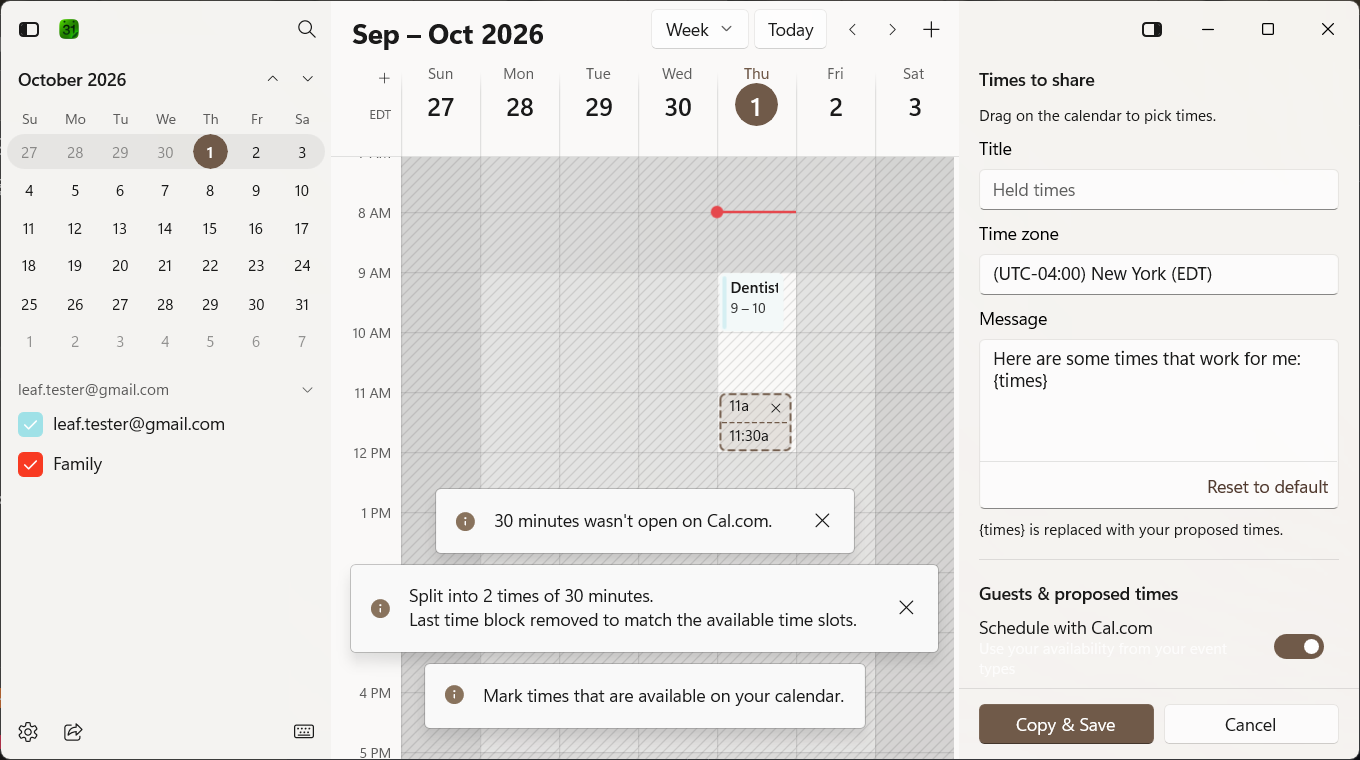
While Cal.com is on:
- Times the link can’t book are shaded darker, so you can see what’s open.
- Your drag is fitted to the link’s bookable times. A bookable slot you cover more than half of is stretched to its full length; one you cover half or less is dropped. A small message says what Leaf Calendar did.
- Dashed lines inside each picked time show where each bookable slot starts.
Click Copy & Save. Each proposed time is copied as a link: the time is the text, and the link opens Cal.com on that slot with your guests filled in. Apps that can’t paste links get the address after each time instead.
If your Cal.com link doesn’t allow extra guests, only your first guest goes in the link, and Leaf Calendar tells you so.
When someone books
Leaf Calendar checks Cal.com for new bookings each time it syncs, while you have saved Cal.com times. When someone books a time inside a saved group:
- The whole group is removed from your calendar.
- A notification says who booked and when (turn it off in Settings › Notifications › Booking notifications).
- The meeting reaches your Google Calendar through Cal.com’s own calendar connection.
Booking it yourself
Someone replied by email instead of booking? Open the saved group and click Approve… on their time. If the time has several slots, pick one. Leaf Calendar asks “Book (time) on Cal.com?” and lists the guests. Click Book, and Cal.com books it and sends its own confirmation emails.
If someone took that time a moment ago, Leaf Calendar says “That time was just taken on Cal.com. Pick another.”
Signing out
In Settings › Accounts:
- Sign out disconnects Cal.com but keeps your OAuth client, so signing back in is one click. Saved Cal.com times become plain saved times.
- Remove OAuth client removes the Client ID and Client secret too.
If Cal.com signs Leaf Calendar out, the card shows Sign in again.
Troubleshooting
| What you see | What to do |
|---|---|
| “Port 53817 is busy, so Leaf Calendar can’t finish signing in.” | Another app is using that port. Close it and try again. |
| Cal.com says the redirect URI doesn’t match | Check the redirect URI on your Cal.com OAuth client is exactly http://127.0.0.1:53817/calcom/callback. |
| “That link isn’t on Cal.com anymore. These times will copy as plain text.” | The link a saved group used was deleted in Cal.com. Pick another link. |
| “Couldn’t reach Cal.com.” | Check your connection. Nothing was booked. |